
List views
List views show properties of objects of a specific type in a tabular format:
- The main display area of a list view shows the properties of a set of objects (such as processes, network connections etc.) in a table.
- An optional summary pane on the left shows additional information about an object selected in the table.
- A toolbar at the top provides a set of standard functions in all list views.
- Finally, a status pane at the bottom includes controls for refreshing the displayed.
The example below shows the list view for processes running on a system.
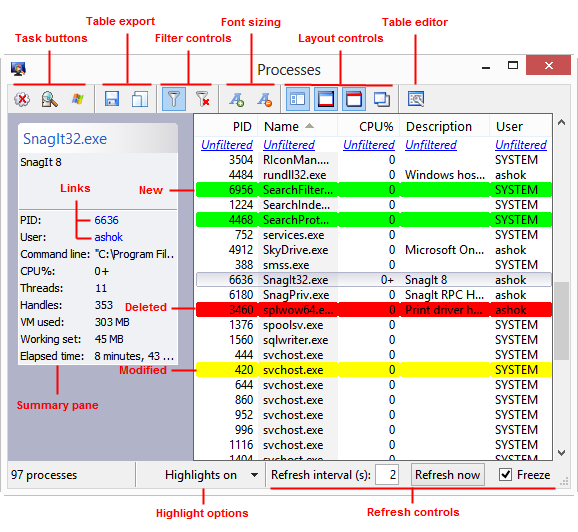
List views are customizable both in terms of the layout as well as the data that is displayed. See the list of topics below for more.
Windows Inspection Tool Set V3.2
© 2007-2014 Ashok P. Nadkarni