
Configuring preferences
Various aspects of WiTS behaviour can be controlled through the preferences dialog which is accessible either through the selection in the dropdown menu in the main WiTS window or popup menu associated with the WiTS icon in the system tray.
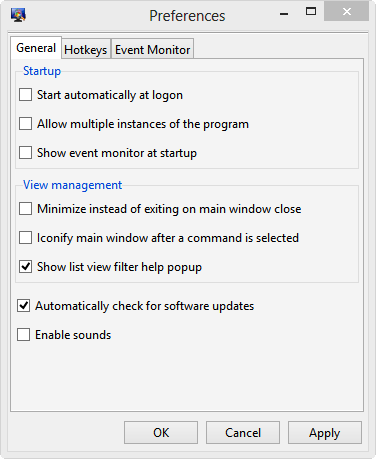
The tab allows setting of several options related to WiTS runtime behaviour.
The tab allows hotkeys to be registered that bring up the specific WiTS windows.
The tab allows configuration of event monitor options.
Related topics
Windows Inspection Tool Set V3.2
© 2007-2014 Ashok P. Nadkarni